📲 Available on Android & iOS

Download the 7xx App and Take Your Gaming Everywhere You Go

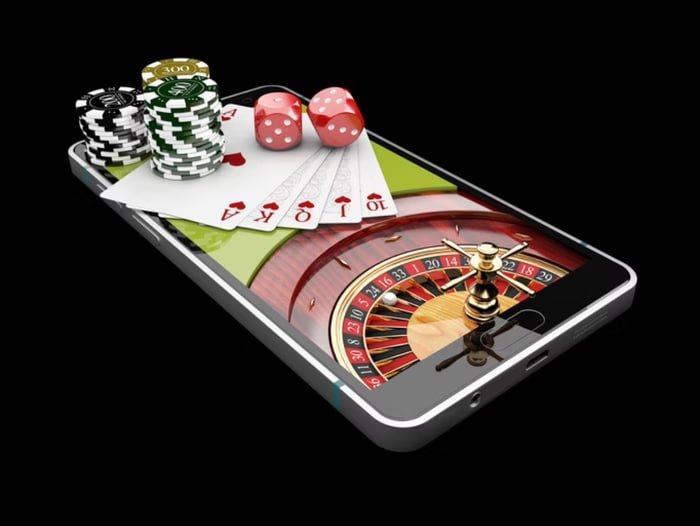
Get the full 7xx experience on your smartphone. Sports betting, live casino, slots, and eBingo — all in one fast, secure app designed for Filipino players from Manila to Mindanao.

Free to download  |  SSL secured  |  Optimized for mobile
7xx

Choose How You Want to Access 7xx

Whether you prefer the native app or browser access, 7xx is built to perform on any device you already own. No expensive hardware required — just a stable internet connection.

MOST POPULAR 🤖

Android App

Download the 7xx APK directly to your Android phone or tablet. Installation takes under a minute and gives you the smoothest, most responsive gaming experience available on mobile.

Get Android APK
iOS GUIDE

iPhone & iPad

7xx is fully accessible on Safari and other iOS browsers without any separate download. Follow our iOS setup guide to add a shortcut to your home screen for instant one-tap access.

iOS Setup Guide
NO DOWNLOAD 🌐

Mobile Browser

Prefer not to install anything? Access 7xx directly from Chrome, Firefox, or Safari on any device. The mobile web version is fully featured and loads quickly on most Philippine networks.

Play via Browser

How to Install 7xx on Android — Step by Step

Installing the 7xx app on your Android device is quick and straightforward. Because the APK is downloaded directly from our site rather than the Google Play Store, you'll need to allow installation from unknown sources — this is a standard one-time setting that takes just a few seconds to enable.

1
Visit the Download Page

Open 7xx.bar on your Android browser (Chrome works best). Navigate to the Download section or tap the Download App button you see on this page.

2
Tap "Get Android APK"

Tap the download button. Your browser will begin downloading the 7xx APK file. You may see a security prompt — tap "OK" or "Download Anyway" to proceed.

3
Allow Unknown Sources

Go to Settings > Security (or Apps & Notifications on newer Android versions) and enable "Install unknown apps" for your browser. This is a one-time step and does not affect your device's overall security posture.

4
Open the APK and Install

Locate the downloaded APK in your notifications bar or file manager, tap it, and confirm installation. The 7xx icon will appear on your home screen within seconds.

5
Login or Register and Play

Open the app, log in to your existing account or create a new one. Complete verification if prompted, deposit in PHP, and you're ready to play.

7xx

iOS Users — Add to Home Screen

On iPhone or iPad, open 7xx.bar in Safari, tap the Share icon at the bottom of your screen, then select "Add to Home Screen." This creates a shortcut that behaves like a native app — full screen, instant access, no browser toolbar in the way.

Keeping the App Updated

When a new version of the 7xx app is available, you'll see an update prompt the next time you open it. Updates bring performance improvements, new game integrations, and the latest security patches. We recommend keeping auto-updates enabled for the best experience.

7xx

Everything the 7xx App Brings to Your Phone

The 7xx mobile app is not a stripped-down version of the website — it's the full platform, rebuilt from the ground up for touchscreen use and Philippine mobile network conditions. Here's what you get the moment you finish installing.

Full Game Library Access

Every slot game, live casino table, eBingo session, and sports betting market available on the desktop site is also available in the app — no features cut, no categories missing.

Push Notifications

Get real-time alerts for live game results, odds changes on your favorite sports markets, account activity, and platform updates — all delivered directly to your lock screen.

Biometric Login

Log in with your fingerprint or face recognition on supported Android devices. No need to type your password every session — fast, secure, and convenient.

Optimized for Philippine Networks

The app is built to load quickly and remain stable even on slower mobile data connections common outside Metro Manila. Live streams buffer less, and game loads are snappier than browser access.

PHP Deposits and Withdrawals

All transaction screens in the app are in Philippine Peso. Connect your online bank account or local e-wallet and manage your balance without switching apps unnecessarily.

SSL Encryption on Every Session

All communication between the app and 7xx servers is encrypted. OTP verification adds a second authentication layer whenever you log in from a new or unrecognized device.

Device & System Requirements

The 7xx app is designed to run on a wide range of devices. Most smartphones sold in the Philippines over the last five years will meet these requirements.

Requirement Android iOS (Browser) Desktop Browser
Minimum OS Version Android 6.0+ iOS 13+ Any modern OS
RAM 2 GB or more 2 GB or more 4 GB or more
Free Storage ~80 MB for APK No install needed No install needed
Internet Connection 3G / 4G / WiFi 3G / 4G / WiFi Broadband / WiFi
Recommended Browser Chrome 90+ Safari 14+ Chrome / Firefox / Edge
Biometric Login Supported (app) Face ID / Touch ID Not available
Push Notifications Supported (app) Via Safari PWA Not available

Browser is Good. The App is Better.

You can absolutely play 7xx through your mobile browser — many Filipino players do, and it works well. But if you're the kind of person who checks PBA scores on the way to the office or squeezes in a few slot spins during lunch break in Makati, the dedicated app gives you a noticeably better experience.

The core difference comes down to speed and integration. The app caches assets locally so pages load faster on repeat visits. It integrates with your Android notification system so you don't miss live betting window closures. And biometric login means you're in the game in two seconds rather than typing a password on a small keyboard.

For live casino sessions where you're watching a real dealer and placing timed bets, the reduced latency of the app versus a browser tab makes the experience feel more natural and less disruptive. Whether you're in a condo in Quezon City or at the beach in Cebu, the 7xx app keeps up with you.

Faster Cold Start

The app launches and loads your account dashboard faster than opening a browser tab and navigating to the site.

Better Battery Use

Native apps are generally more energy-efficient than running a live stream inside a browser window, extending your play time on battery.

Full-Screen Gaming

No browser address bar, no tab switcher — just the game, full screen, exactly as it was designed to be played.

Dedicated Security Layer

App sessions are isolated from browser history and cookies, reducing exposure to cross-site tracking or tab-sharing risks.

7xx

Download & Installation Questions Answered

Common questions Filipino players ask before downloading the 7xx app for the first time.

Yes, the 7xx app is completely free to download and install. There are no charges for downloading the APK on Android or setting up browser access on iOS. The only amounts you deposit are the PHP funds you choose to add to your gaming account, and those are entirely under your control.

Online gaming apps in the Philippines are not currently distributed through the official app stores due to store policies around real-money gaming applications. This is standard practice across the industry — most reputable online gaming platforms in the Philippines distribute their Android apps as APK files directly from their official websites. Downloading from 7xx.bar ensures you're getting the genuine, up-to-date version of the app.

Enabling unknown sources for a specific trusted app is a standard process on Android. The key is to only download APK files from official, trusted sources like 7xx.bar — never from third-party download sites or links sent via chat. Once you've installed the 7xx app, you can re-disable the unknown sources setting in your phone's security menu if you prefer. The 7xx APK itself is scanned and safe to install.

Yes. Your 7xx account is shared across all access methods — the Android app, iOS browser, and desktop browser all use the same login credentials. Your balance, transaction history, game progress, and account settings are all synchronized in real time. You can start a session on mobile and continue on desktop without any interruption to your account.

Download 7xx and Start Playing on Your Phone Right Now

Install the app, create your free account, and access all of 7xx — sports betting, live casino, slots, and eBingo — in Philippine Peso, fully optimized for your Android or iOS device.

21+ only  ·  Play responsibly  ·  Responsible Gaming  ·  Privacy Policy